

The Daily Edit: Premium Digital Planner
Create a fully customized, printable planner in minutes
Screenshots & Interface Preview
2 screens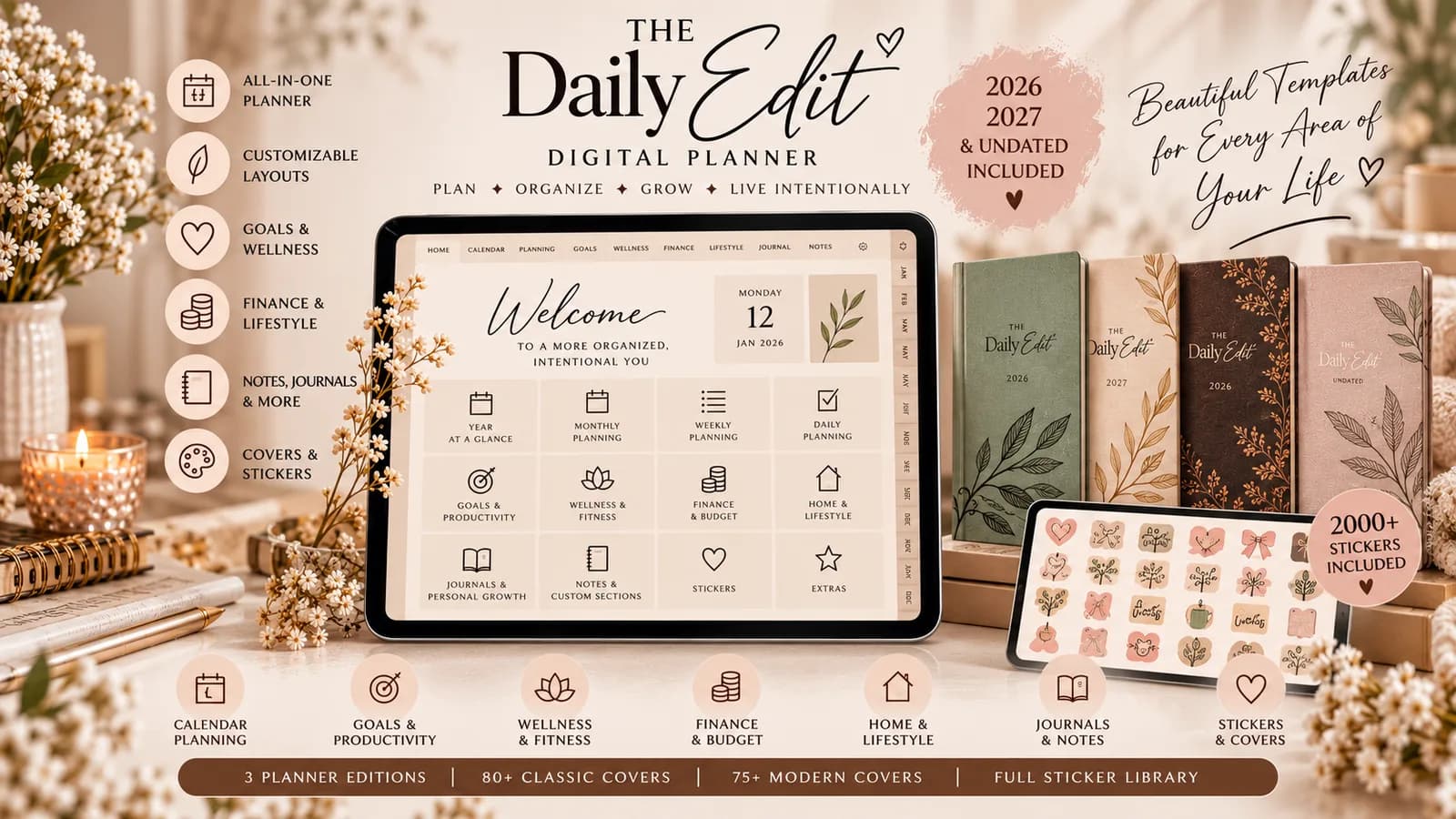
Key Features Verified by Editorial Team
What is The Daily Edit?
The Daily Edit is a premium, all‑in‑one digital planner that runs entirely in your browser. Using a web‑based customization builder, you can tailor covers, layouts, trackers, and sections, then generate a single hyperlinked PDF ready for offline use.
Who is it for?
Designed for professionals, students, freelancers, and anyone who values a polished, paper‑like planning experience. Whether you are based in India, the US, or anywhere globally, the planner adapts to your calendar year and personal workflow.
Key features
- Customization Builder – Choose orientation, cover design, tab colors, weekly start day, and add custom sections.
- Planner Editions – Accurate dated versions for 2026 and 2027 plus an undated edition.
- Hyperlinked Dashboard – Clickable navigation, section tabs, and return‑to‑home links for seamless browsing.
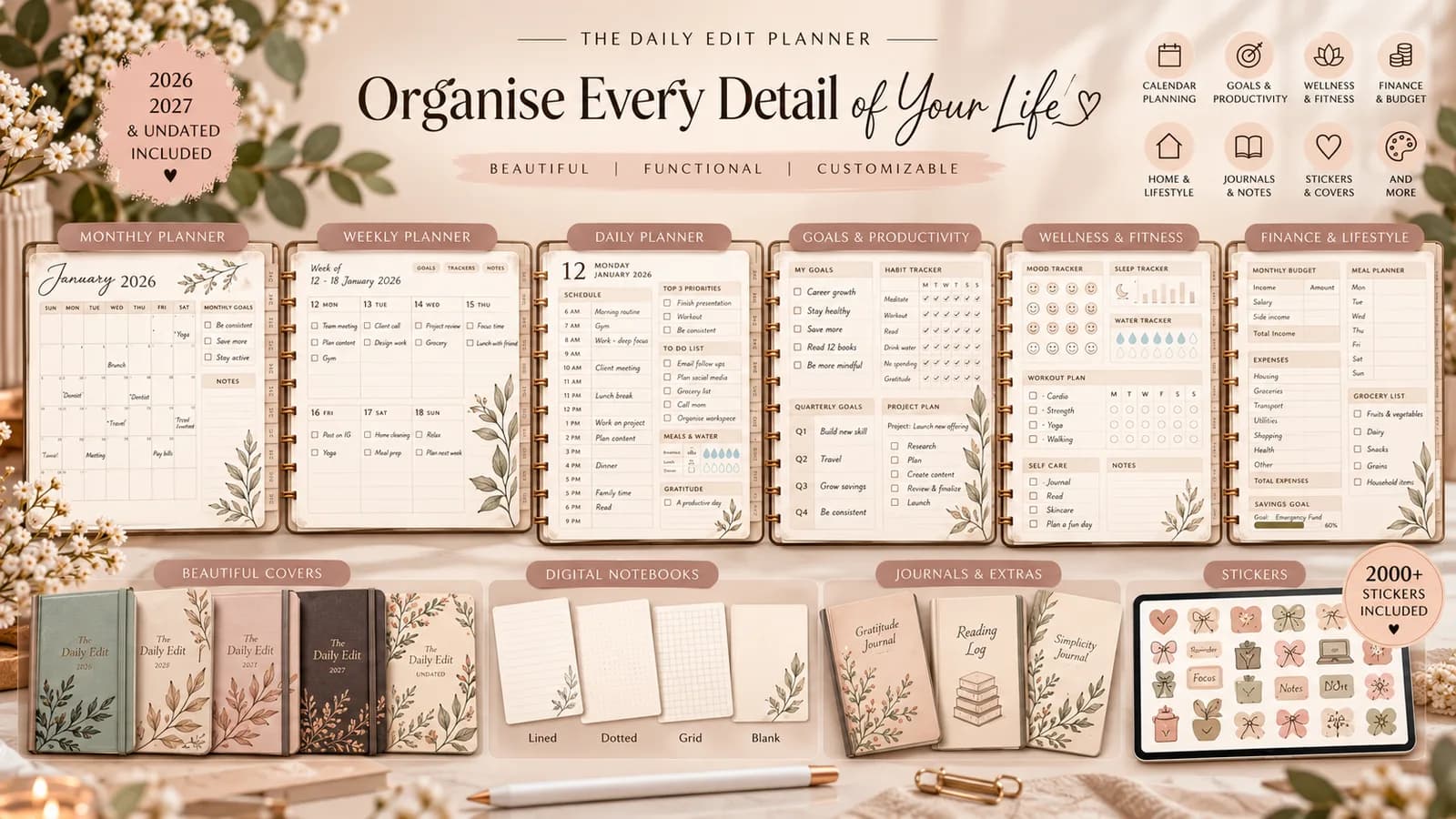
- Comprehensive Layouts – Annual, monthly, weekly spreads, daily schedules, and flexible hourly blocks.
- Goal & Productivity Tools – Goal setting, project planning, priority tracking, habit and routine trackers.
- Wellness Trackers – Mood, sleep, hydration, workout, gratitude, and mindfulness logs.
- Finance & Lifestyle – Budget sheets, expense trackers, meal planning, grocery lists, travel itineraries.
- Journals & Notebooks – Lined, dotted, grid, blank, and Cornell‑style pages for notes and reading logs.
- Stickers & Flashcards – Over 2,000 PNG stickers, 80+ classic covers, 75+ modern covers, and reusable flashcard templates.
- Export & Delivery – Optimized, fully hyperlinked PDFs plus ZIP bundles of assets and video tutorials.
How it works
- Select your design preferences in the online builder.
- Generate a preview of the hyperlinked PDF and make any adjustments.
- Download the final PDF and start planning instantly, offline.
Privacy & Security
All customization data is processed locally in your browser and never stored on our servers. The generated PDF contains no personal data unless you add it yourself.
Pricing
A single purchase grants you lifetime access to the 2026, 2027, and undated editions, all stickers, covers, and future updates at no extra cost.
How to Install The Daily Edit: Premium Digital Planner on Your Phone
- 1Tap "Open App" to navigate to https://webappstore.online in Chrome.
- 2Tap the three dots (⋮) menu button in the top right corner of Chrome.
- 3Select "Add to Home screen" (or "Install app"). The app icon will appear directly on your home screen and run in full-screen standalone mode.
The Daily Edit: Premium Digital Planner FAQ
Reviews & Verified Feedback
Real feedback collected directly from users with consent. We do not accept paid ratings.
Editor's Review
Official AssessmentOur take: Premium planner that delivers on customization
We tested The Daily Edit across multiple annotation apps and found the hyperlinked navigation flawless. The customization options are extensive yet intuitive, and the PDF renders perfectly on both desktop and tablet. Overall, it offers a premium experience at a modest price point.
User Feedback
(2 reviews)My perfect planner – looks and works exactly as promised
"I loved being able to pick my cover and layout, and the PDF works flawlessly in GoodNotes. The habit and finance trackers have already helped me stay organized for the month."
Great design, minor tweaks needed for daily schedule
"The Daily Edit feels luxurious and the sticker library is massive. I wish the daily schedule had a bit more flexibility, but overall it’s a solid planner for my freelance work."


